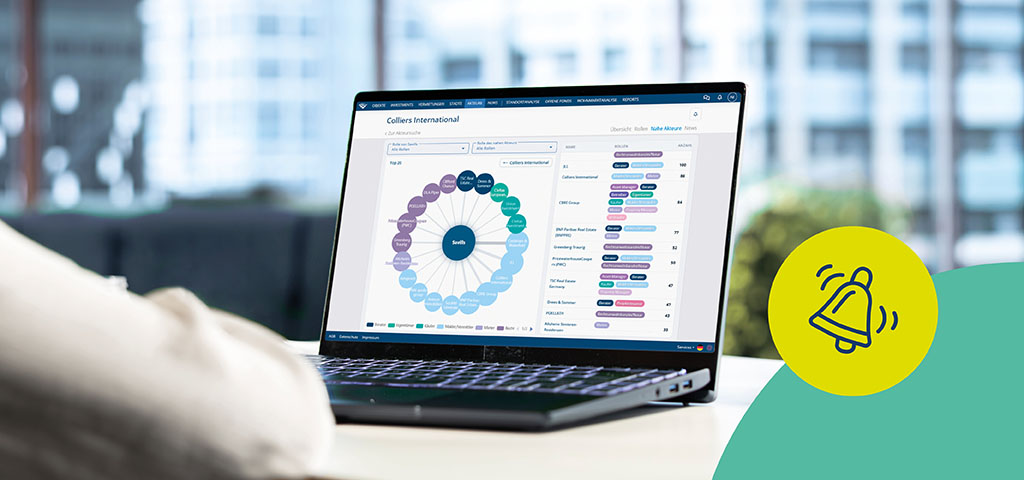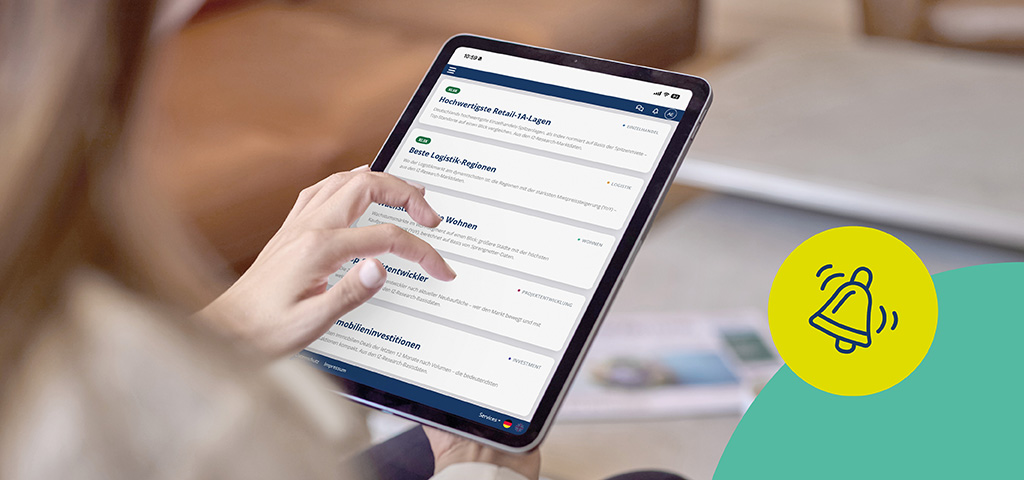
New transactions, lettings, project developments and market movements result in a constantly growing flow of information. At the same time, there is often not enough time in the day-to-day work routine to keep a constant eye on all relevant developments.
The result: important information gets lost amidst overflowing inboxes, countless newsletters or time-consuming research. Yet it is precisely the information relevant to your own markets, regions and asset classes that is crucial.
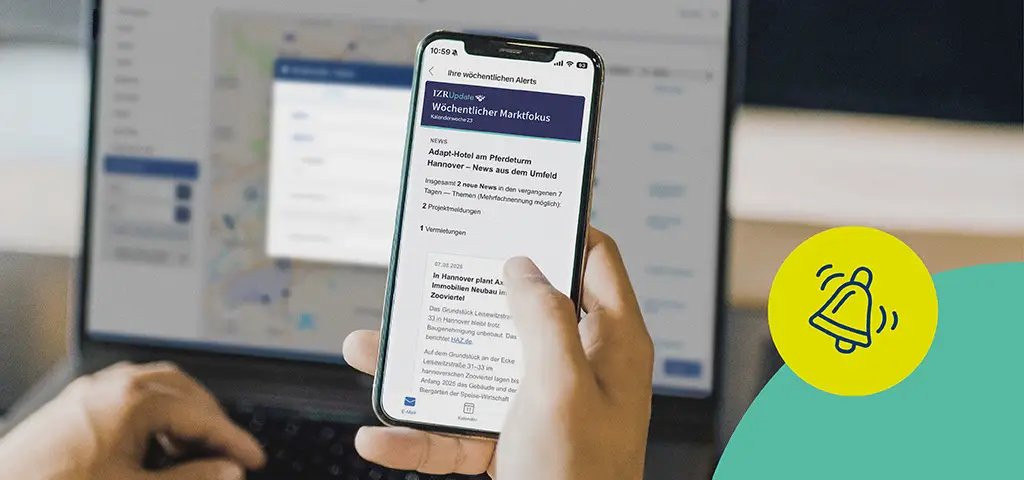
With our new IZR Update service, you receive exactly the information that is relevant to you. The weekly market focus automatically summarises the most important developments in your target markets. In addition, bookmarks and alerts ensure that you are notified immediately when new information becomes available regarding your saved searches, properties or market segments. This way, you stay up to date at all times – without any additional research effort.
Your weekly market focus: How the automatic topic selection works
Every Monday, to kick off the week, you’ll receive your personalised market focus in the newsletter, highlighting the key developments in your markets. You don’t need to do anything else. The newsletter is based on your interests in IZ Research and automatically compiles the regions and asset classes most relevant to you.
This allows you to stay up to date in a targeted and efficient way – right where it matters most to you.
Why a personal focus on the market makes your day-to-day work easier
The biggest advantage of the personalised market focus is that it works for you automatically. Instead of having to manually monitor various markets and asset classes on a regular basis, you’ll receive a concise overview of the key developments delivered straight to your inbox every Monday morning.
Customising the weekly market focus: How to change regions and asset classes
Are you expanding and need information on another region, or has your regional remit changed in some other way?
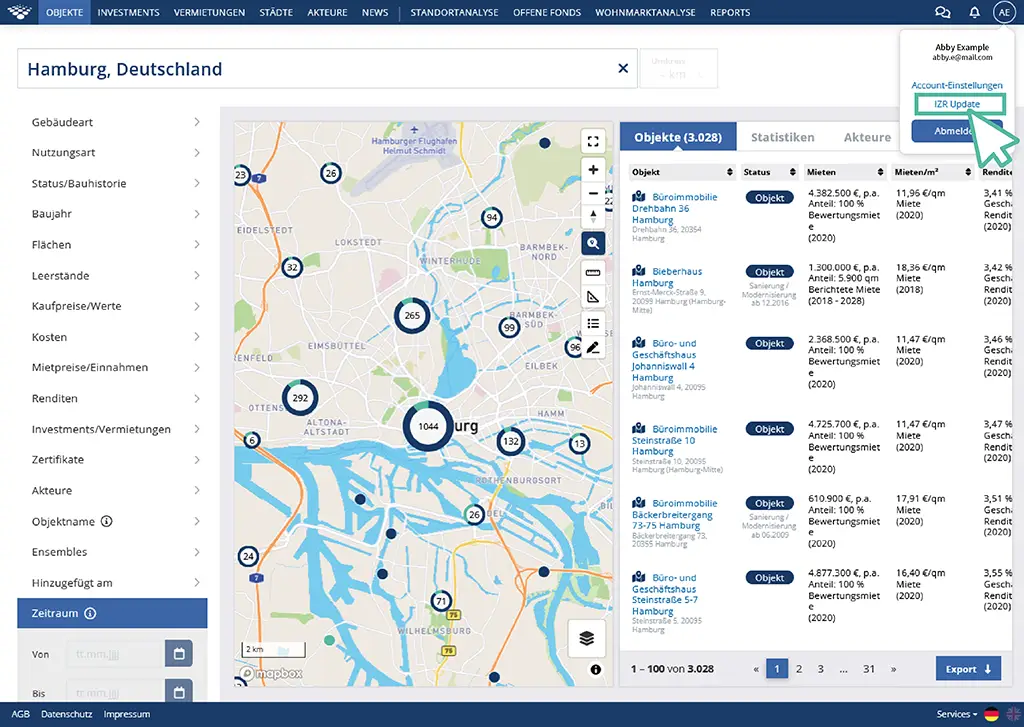
You can customise the weekly market focus via the settings. To do so, click on your initials in the application.
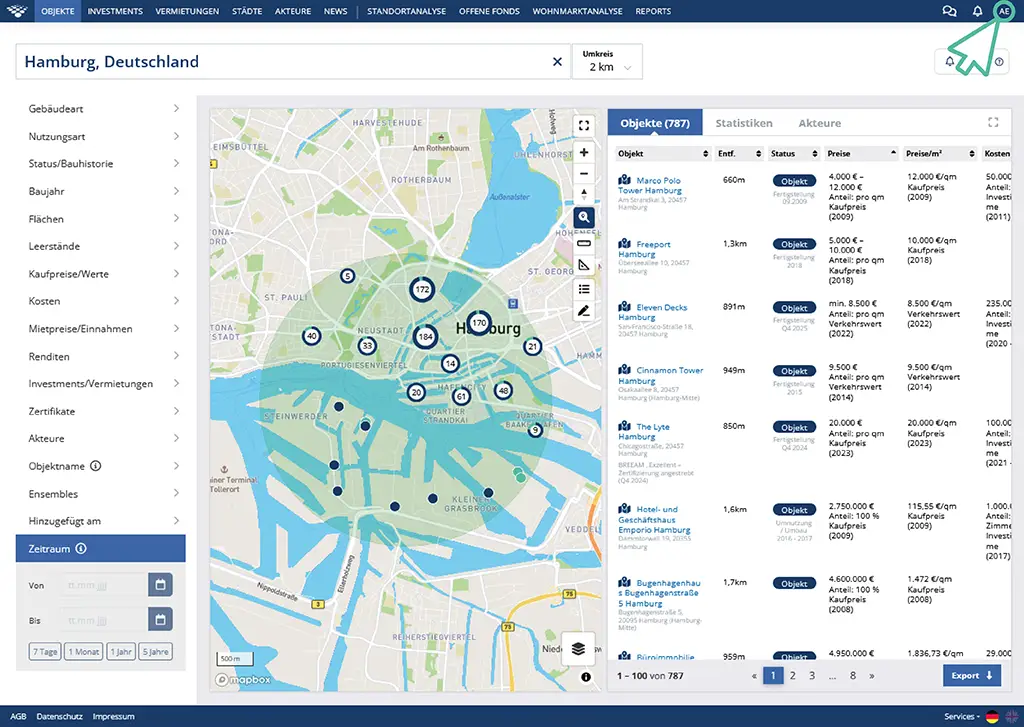
Select ‘IZR Update’ from the overview there.
Scroll to the bottom of the page to the ‘Market Focus’ section.
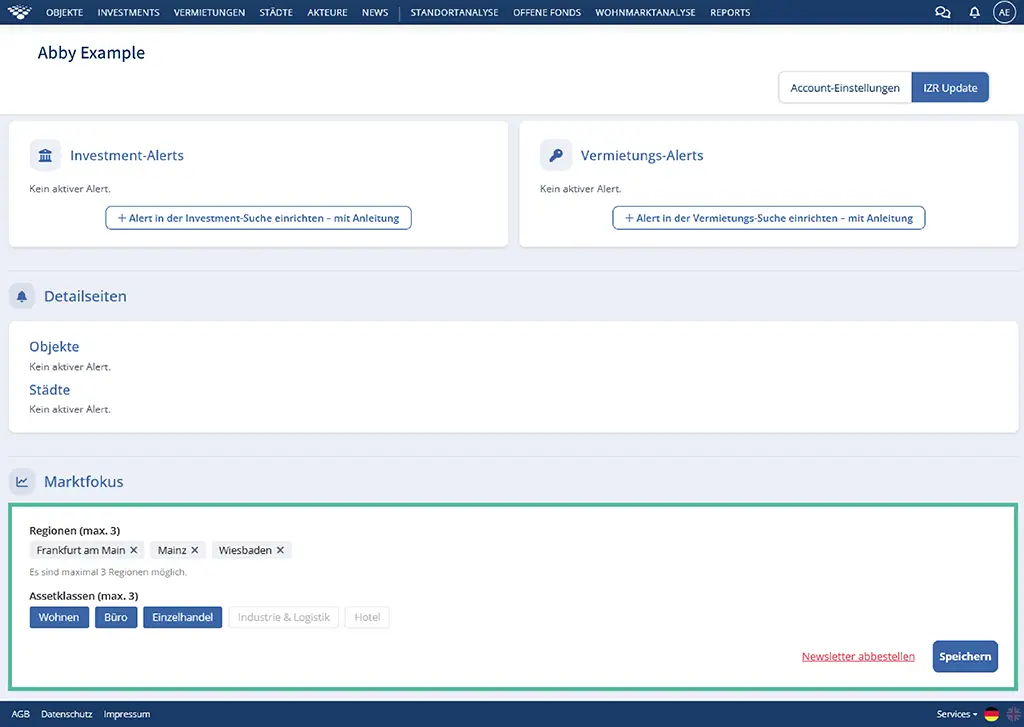
There, you can customise the regions and asset classes (up to three per category) or unsubscribe from the newsletter altogether.
Bookmarks: Save favourites and find them again more quickly
With the new bookmarks feature, you can now mark filter searches, news searches or entire items as favourites. Switch between your saved searches in seconds, without having to click your way through the entire application.
Alerts: Never miss another relevant market movement
You may already be familiar with this feature, formerly known as the ‘Follow’ function. You can now not only follow individual news searches, but also set up alerts for properties, towns, investments and lettings.
How to set up your personalised information service
Don’t want to miss out on any more information about office investments in Hanover? Simply set up your first investment alert!
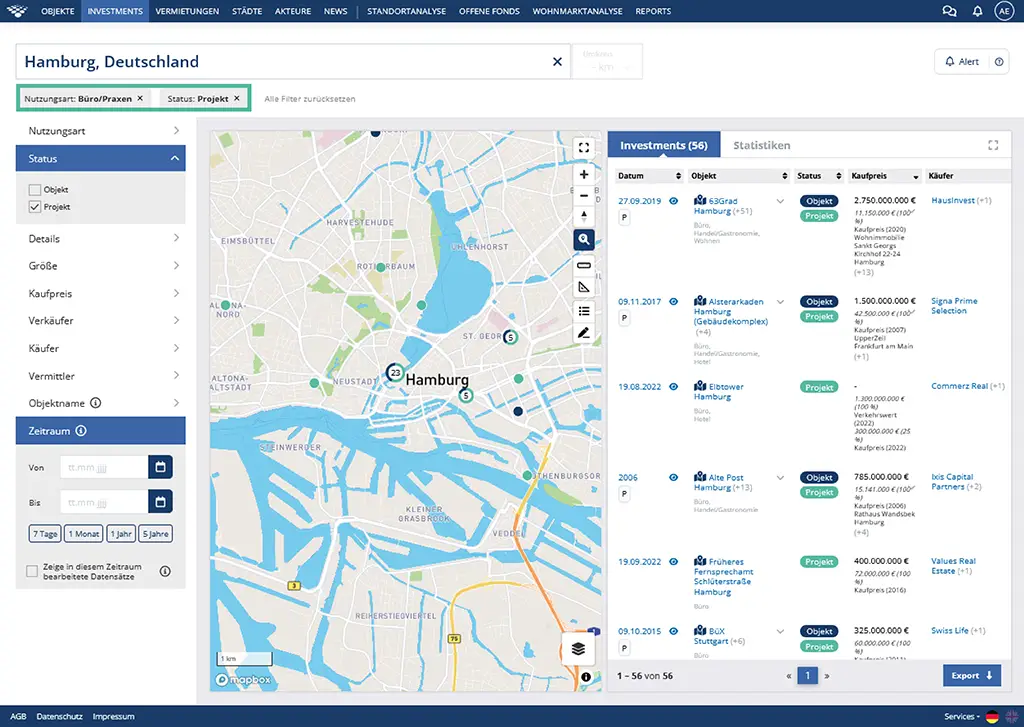
Step 1: Use the filters to narrow down the investments that matter to you. For example, by region, property use or buyer.
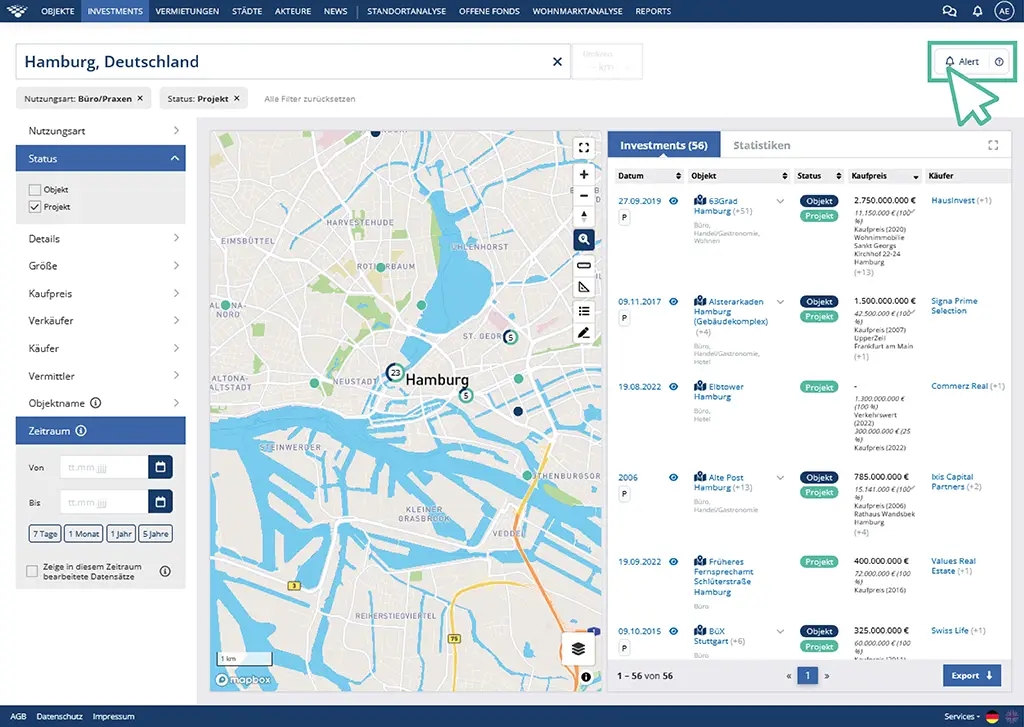
Step 2: Save this search as an alert to confirm your new selection. To do this, click the ‘Alert’ button in the top right-hand corner.
Tick the ‘Save search as bookmark’ checkbox. This will allow you to find your search again at any time within the application.
Step 3: Give your bookmark a name. With a personalised name, you can quickly find your favourites again at any time.
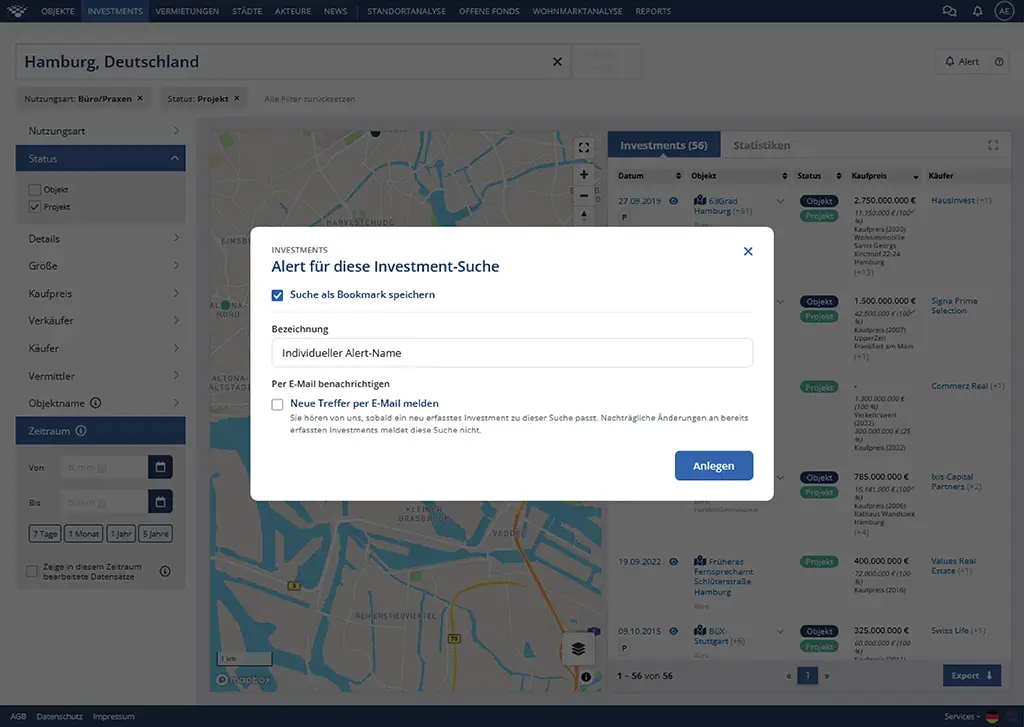
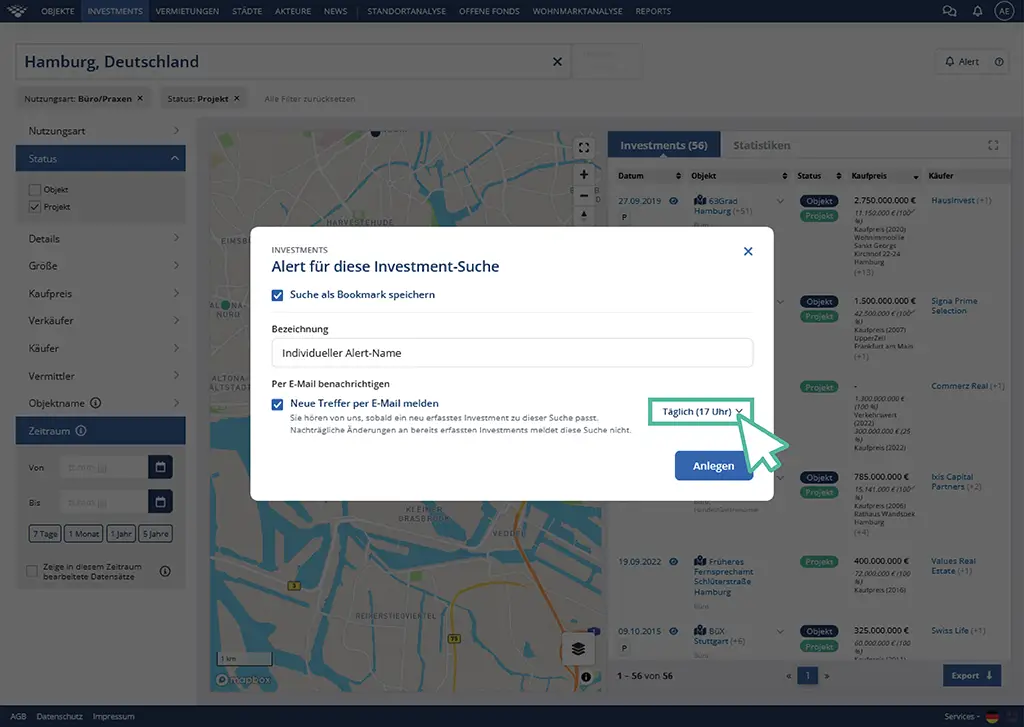
Decide whether you would like to be notified by email when new information becomes available for your favourites. To do this, tick the ‘Notify me of new results by email’ tick box.
You can then set how often we send you new results for your search by email – depending on the alert, immediately, daily at 10 am, daily at 5 pm, weekly or monthly. The option to be notified immediately is only available for limited searches. You will be informed of changes to the selected property on a daily, weekly or monthly basis.
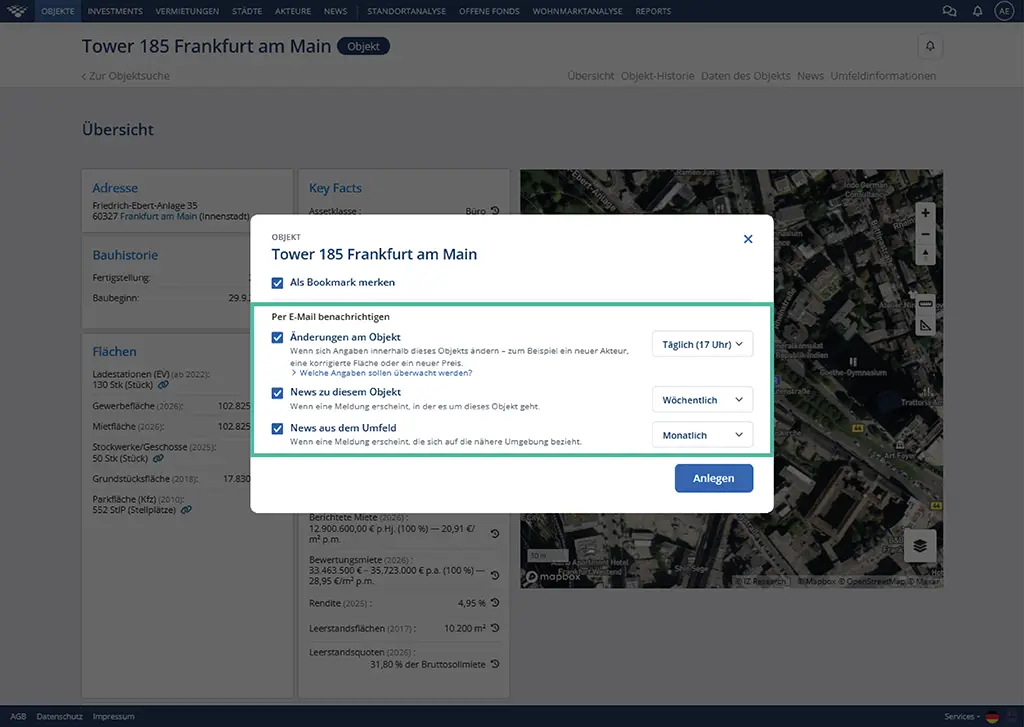
Do you have a property profile (e.g. Tower 185, Frankfurt am Main) and would you like to be kept up to date via email with updates on the property?
Choose individually whether you would like to be notified of changes to the property details, news about this property or news relating to the property’s surroundings.
Set the frequency of alerts individually for each category.
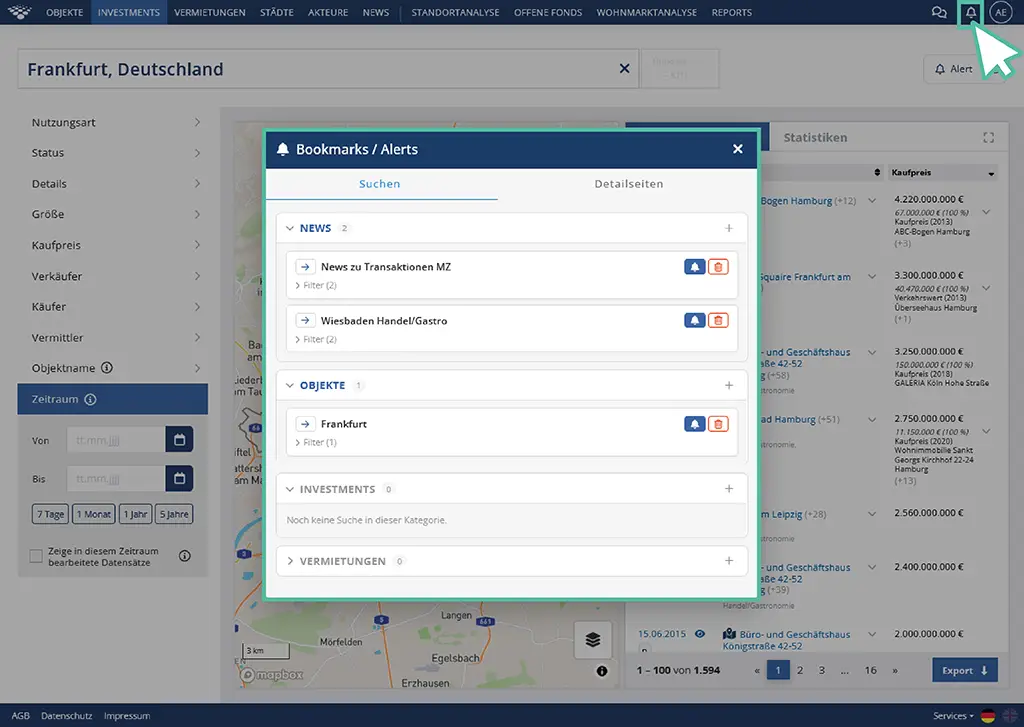
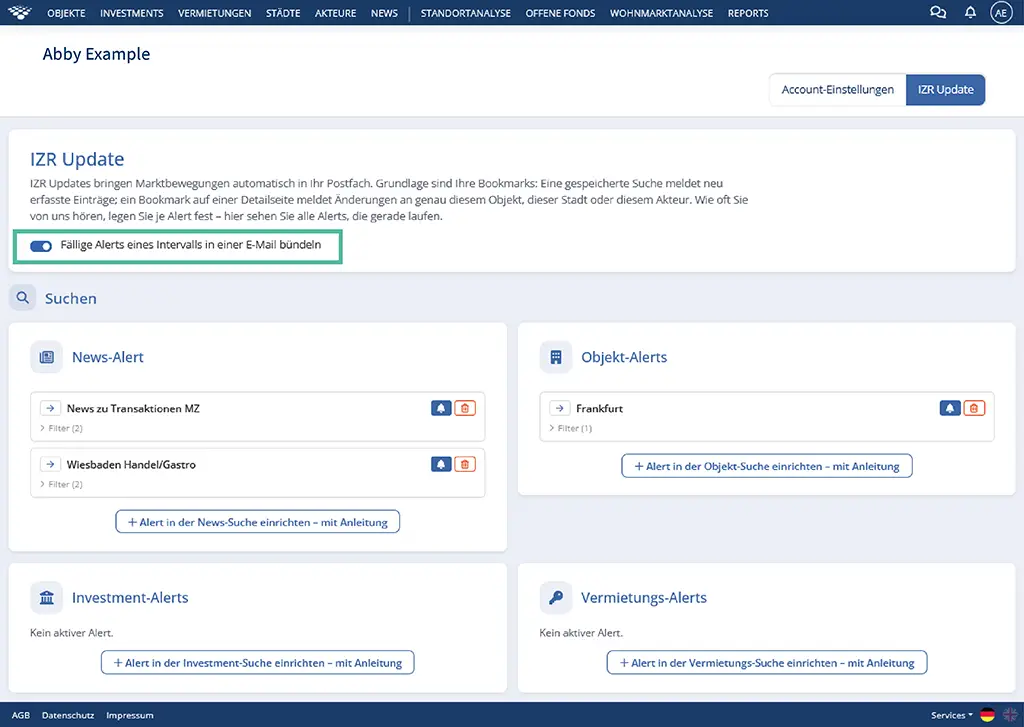
To update all your bookmarks and alerts at a later date, simply click on the bell icon next to your shortcut. The ‘Search’ tab provides an overview of your saved search queries, filter settings and alerts.
Under ‘Detail pages’, you will find all the bookmarks and alerts you have set up for individual items or other detail pages.
Expert tip: Do you receive several alerts at the same time and want to reduce the number of emails you receive? Group alerts from the same interval in the settings. To do this, click on your initials. Under the ‘IZ Research’ menu item, you will find the tick box ‘Group due alerts from the same interval into a single email’.
A clearer overview, less time spent searching: the benefits of bookmarks and alerts
With the new bookmarks and alerts, you can keep track of exactly the topics that are most important for your day-to-day work. Save relevant searches, items or news stories permanently as favourites and access them at any time with a single click.
Your workflows become even more efficient with alerts: you’ll be automatically notified as soon as there are new results matching your saved search criteria. This means you don’t have to actively search for changes yourself; instead, you’ll receive relevant information directly in your inbox.
Whether it’s new investments in a specific region, letting activity in a target market, or updates on a particular property, player or city: with Bookmarks and Alerts, you stay constantly informed and can react more quickly to relevant market movements. In dynamic markets in particular, this information advantage can be crucial.
Conclusion
With the weekly Market Focus, as well as the new Bookmarks and Alerts, IZ Research makes monitoring the market even easier and more efficient. Not only can you find relevant information more quickly, but you can also have it sent to you automatically by email if you wish.
Whilst the weekly Market Focus provides a concise overview of the key developments in your markets, Bookmarks and Alerts help you keep a constant eye on specific topics, search queries and properties. This reduces the time spent on research, allowing you to focus on what really matters: making informed decisions based on up-to-date and reliable market data.
Try out the new features directly in IZ Research and customise your personal information service to suit your individual needs.